Skip to content

Case study

HeyClo (CLO AI)

Developed an animated landing page experience for HeyClo.com with smooth scrolling, responsive layouts, polished interaction design, and a loading experience tested across devices.

My role
Frontend / Framer Developer
Timeline
Mar 2026 - Present
Status
Live Product

What did I build for HeyClo (CLO AI)?

I developed HeyClo's animated product landing page with Framer and Lenis, including responsive sections, smooth scrolling, interaction details, and the loading experience. My contribution focused on the public-facing product story and how it behaves across screen sizes. The published landing page is linked from this case study.

Evidence and scope: This documents my landing-page contribution, not development of HeyClo's relationship AI. Historical Lighthouse checks are not published here as a reproducible benchmark, and the live product may have changed since this work.

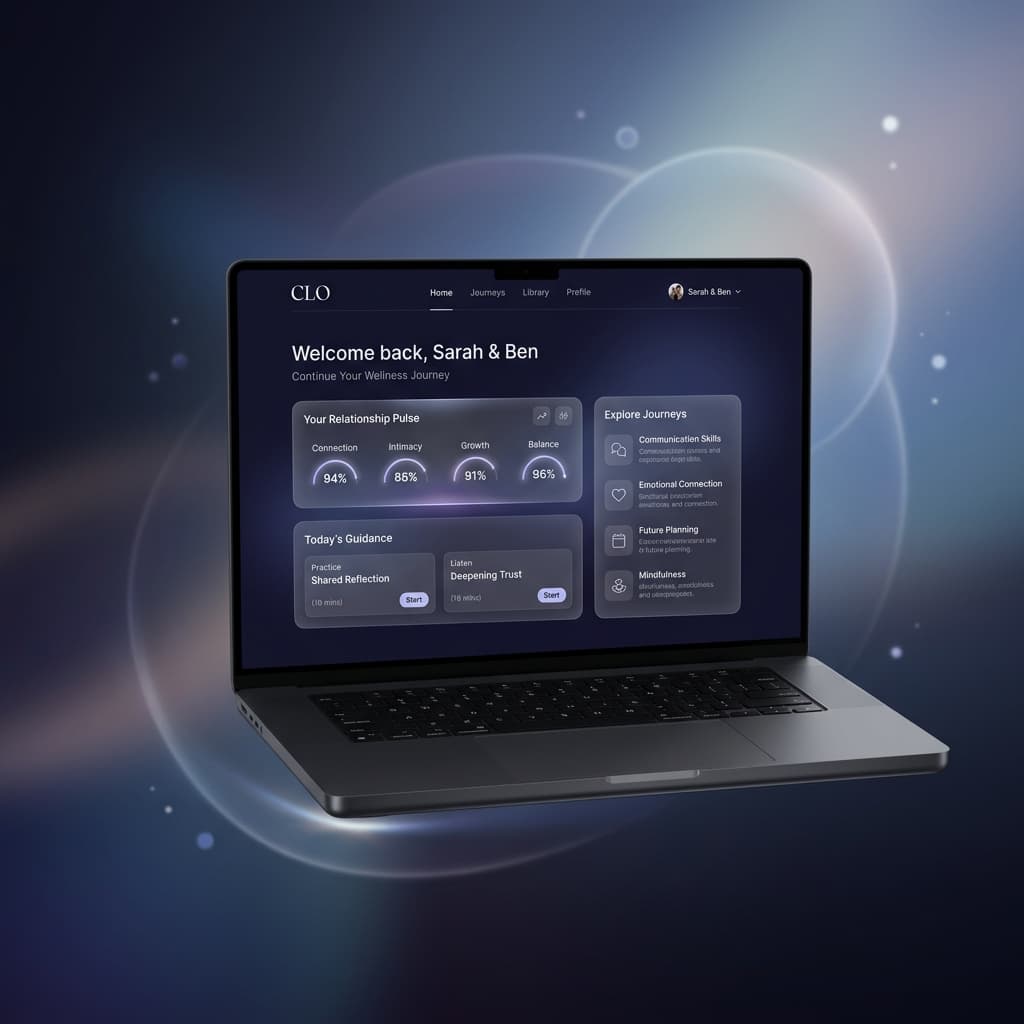
HeyClo / CLO AI - Animated Product Landing Page preview
A fully animated product landing page with smooth scrolling and premium storytelling.

The brief

FramerLenisResponsive UI

The product needed a premium animated landing experience that stayed smooth, responsive, and performance-conscious across screen sizes.

HeyClo / CLO AI was built as a product landing page where motion, responsiveness, and page quality mattered as much as the visual direction. The work focused on turning the product story into screen-friendly sections with smooth scroll behavior and polished interaction design.

For similar work, explore Landing Pages.

Planning a similar build? Read React and Next.js Performance Audit: What to Ask for Before a Rebuild.

Planning a similar build? Read Frontend Revamp Checklist for Websites and SaaS.
What I delivered

  • Developed the fully animated landing page experience.
  • Built responsive layouts and screen-friendly sections.
  • Created smooth scrolling and polished interaction behavior with Framer and Lenis.
  • Tested responsiveness, animation behavior, loading experience, and Lighthouse performance.

How it was built

  • Used Framer for interaction and section motion so the page could feel premium without becoming random.
  • Used Lenis to make scrolling feel fluid and controlled across the landing flow.
  • Checked the page across devices so the animation system did not break the responsive layout.
  • Used Lighthouse checks to guide loading and page-quality improvements.

Challenges & decisions

Motion without breaking usability

The page needed a fully animated product story, but the motion still had to stay readable and screen-friendly.

I kept the animation tied to section pacing, smooth scrolling, and interaction states instead of adding disconnected decoration.

Responsive animation behavior

Animations that look polished on desktop can easily feel cramped or unstable on mobile.

I tested responsiveness and animation behavior across devices, then adjusted the sections to stay usable on smaller screens.

Performance quality

A motion-heavy page still needed strong Lighthouse and loading behavior.

I tested loading behavior and used Lighthouse findings to guide page-quality improvements.

Product features

  • Animated landing page
  • Smooth scrolling
  • Responsive sections
  • Loading experience
  • Lighthouse checks

Outcomes

  • Delivered a live animated product landing page.
  • Created a smooth scrolling product storytelling experience.
  • Improved responsiveness, animation behavior, loading quality, and Lighthouse checks.

More of my work

Have something in mind?

Let’s talk it through. In a short intro call, we’ll explore your goals, scope, and the next step together.

Choose a time that works for you.